Map your operation
Walk through a representative load, your team's roles and the documents you use today.
A defined pilot scope

The workspace for freight brokers
Run the load from the first quote to the final paperwork. Bring your rates, carrier relationships and shipment updates into one connected workspace.
Your operation. Your carrier relationships.
A clear view of what happens next.
Compact excavator Step deck
Sample figures. Review the rate before preparing a formal quote.
Assigned carrier
Step deck · Fictitious carrier
Keep the carrier, agreed rate and documents together.
Shipment progress
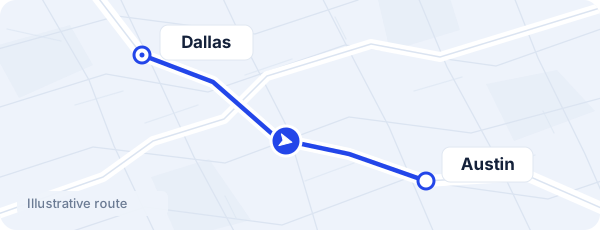
Illustration only. No live location or real shipment data.
This load's paperwork
Example document statuses. Each load keeps its own history.
Explore the tabs · Interactive product illustration with sample records
One shipment recordQuote, booking and paperwork together.
Your network, organizedCarrier contacts and files in context.
Clearer follow-upProgress, next steps and payment records.
Move between quoting, carrier selection, tracking and documents with the shipment details already in place. Explore each stage below.
Capture the route, equipment, dimensions and dates. Review the carrier estimate and your margin before preparing a customer quote.
Less switching.
More context.
Illustrative workflow. No carrier capacity is guaranteed.
Your carrier network is more than a list of numbers. Connect the contact, equipment, paperwork and last shared location to the load your team is working on.
Use the core TMS on its own. Add integrations as your accounts and provider access are ready.
Optional RingCentral SMS and Microsoft 365 email connections. Account setup is required.
Invoice and vendor-bill workflows have been tested in a sandbox. Production activation is still pending.
Integration access has been requested. Direct load-board posting is not yet available.
A focused rollout with your team. Agree the scope and commercial terms first, then use the pilot to see how Overmile fits your operation.
Walk through a representative load, your team's roles and the documents you use today.
Configure company information, users and document templates. Connect supported accounts when ready.
Follow agreed pilot loads from quote to close, collect your team's feedback and define the next step.
Clear expectations before your first load.
It is a TMS for freight brokers. It connects your operational records, carrier relationships, shipment documents and financial follow-up. It does not promise an existing marketplace of available trucks.
A driver can report progress and share location through a private link for one load without registering. Browser GPS can stop when the page is hidden or the phone locks. Compatible fleet GPS connections require separate authorization and setup.
Each company works in its own workspace. Private customer records, rates and documents stay separate. Any shared carrier-network participation is optional.
Request a guided demo and discuss a 30-day pilot. We agree the users, scope, setup and commercial terms before activation.
A monthly subscription model is planned. Your proposal will specify the users, included features and any third-party charges. Final pricing is agreed before the pilot or subscription begins.
Your next step
See how your team would quote it, assign a carrier, follow progress and organize the paperwork.
Overmile
demo@overmiletms.com